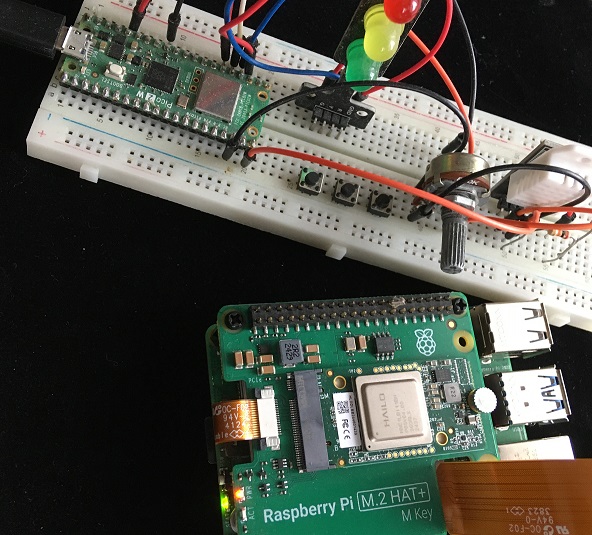
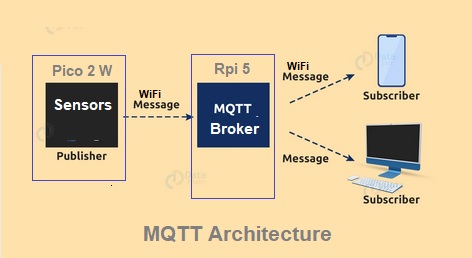
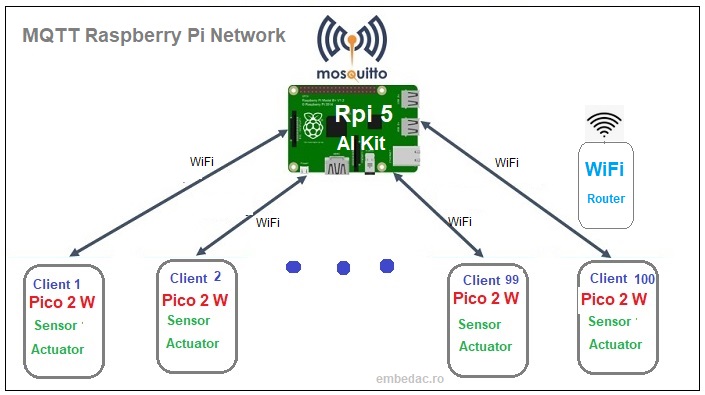
The experiment aims to provide a possibility to explore the MQTT protocol using as a central core the Moskitto Broker application and a Raspberry Pi
5 AI Kit platform. For the development of publisher/subscriber nodes, Raspberry Pi Pico 2 W platforms with sensors and actuators are used.
Publisher programs are developed on Pico and subscriber programs on Pi5.
At the end of the experiment, detailed information will be available about the creation of a network of sensors/actuators interconnected to an MQTT broker. The possibility of exploring the literature with MQTT specifications is another aspect pursued.
1. Send/Publish data program for Pico2 with DHT22 2. Send/Publish JSON data program for Pico2 with DHT22 For Pi 5 3. Receive/subscribe sensor data program on PI 5 4. JSON format data reception/subscriber program on PI 5
> sudo apt install mosquitto mosquitto-clients -y Broker activation/deactivation line: >sudo systemctl start mosquitto.service >sudo systemctl stop mosquitto.service Configure start/stop broker at Linux startup: >sudo systemctl enable mosquitto.service >sudo systemctl disable mosquitto.service Verify operation Broker: > mosquitto -v 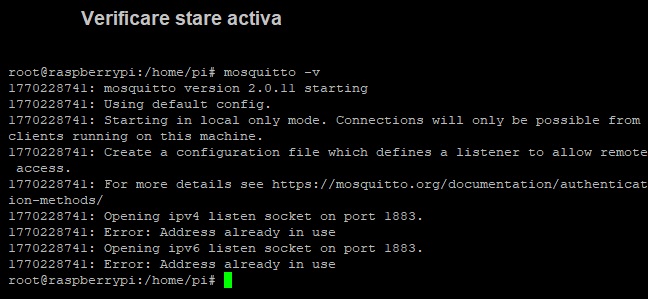
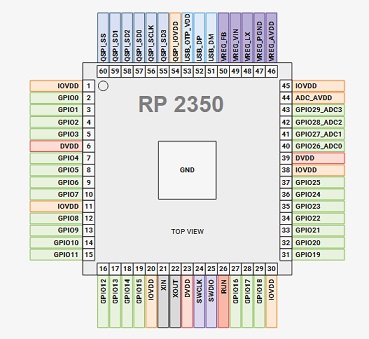
Terminal 1:  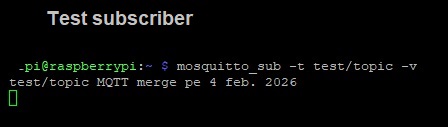 > sudo nano /etc/mosquitto/mosquitto.conf where the following 2 lines must be added: listener 1883 allow_anonymous true To enable these functions, the broker must be restarted as follows: > sudo systemctl restart mosquitto Mosquitto Client with Pico 2 W The schematic of an MQTT client made with Pico 2 W is represented in the following figure. 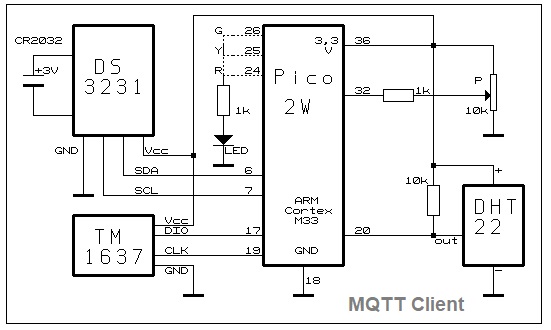 The RP2350 processor in the Pico2 W structure has multiple interfaces with which an extended range of MQTT clients can be made for sensors and actuators. In this case, a potentiometer connected with the cursor to the ADC! to replace the analog sensors, a DS3231 real-time clock to communicate time information and a TM1637 local display for testing subscriber situations are included. MQTT Subscriber with Raspberry PI 5 Visualizing the data sent by the client can be done on the raspberry pi 5 with the prototype programs 4 and 5 that implement subscriber functions equivalent to calling the following command line: >mosquitto_sub -h localhost -t "casa/sensor/umiditate" 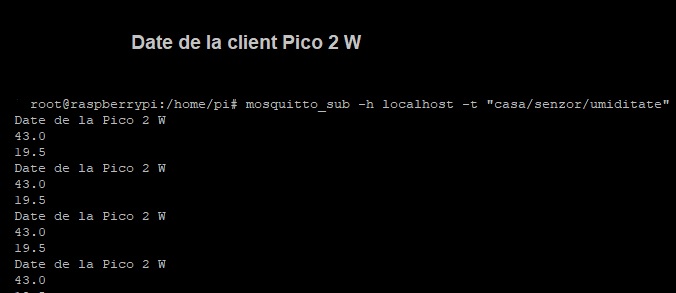
to receive data in JSON format, you can use the prototype program no. 4 with a subscriber function on Raspberry Pi 5 that will return the following information: 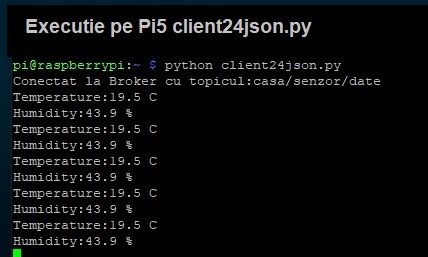
1. Based on experiment 1, create a client that will send atmospheric pressure to the Broker on Pi5. 2. Based on experiment 2, create a program that will activate an LED on the PI when the humidity sent by a client exceeds 40%. 3. Create a client/node with Pico 2, with a sensor and potentiometer connected to the ADC whose values will be sent to the Broker. 4. Experiment with a system/node with Pico 2 with dual functions, namely publisher and subscriber. 5. Develop 2 systems/nodes with Pico 2 that will communicate with each other via the Mosquitto Broker on Raspberry Pi 5. 
|

 © 2010-2026 - Embedded Advanced Computer